What we build
Your software. Your automations. Your assistant.
Custom software, built around how your business already runs. The screens your team uses, the jobs that run on their own, and an assistant that knows your business, all on one set of records and looked after by us.
Your own assistant
An assistant that knows your business, and asks first.
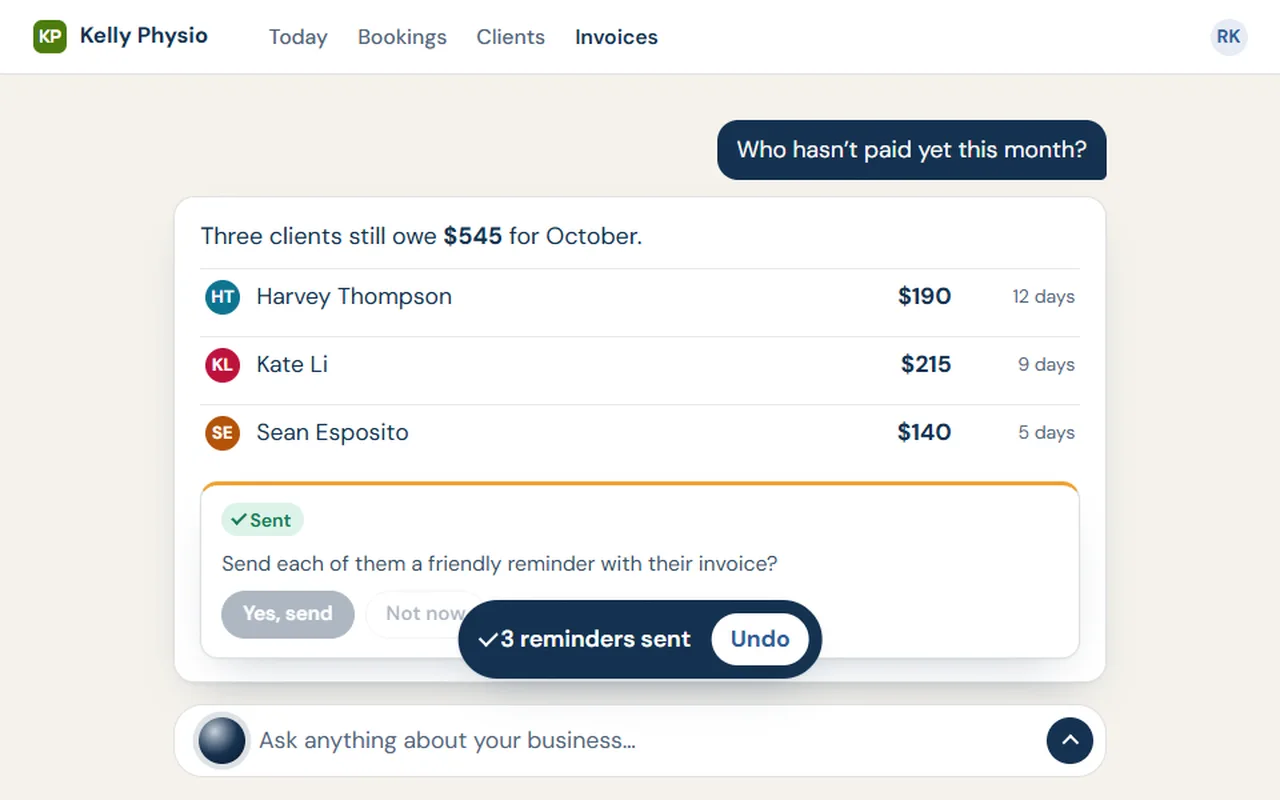
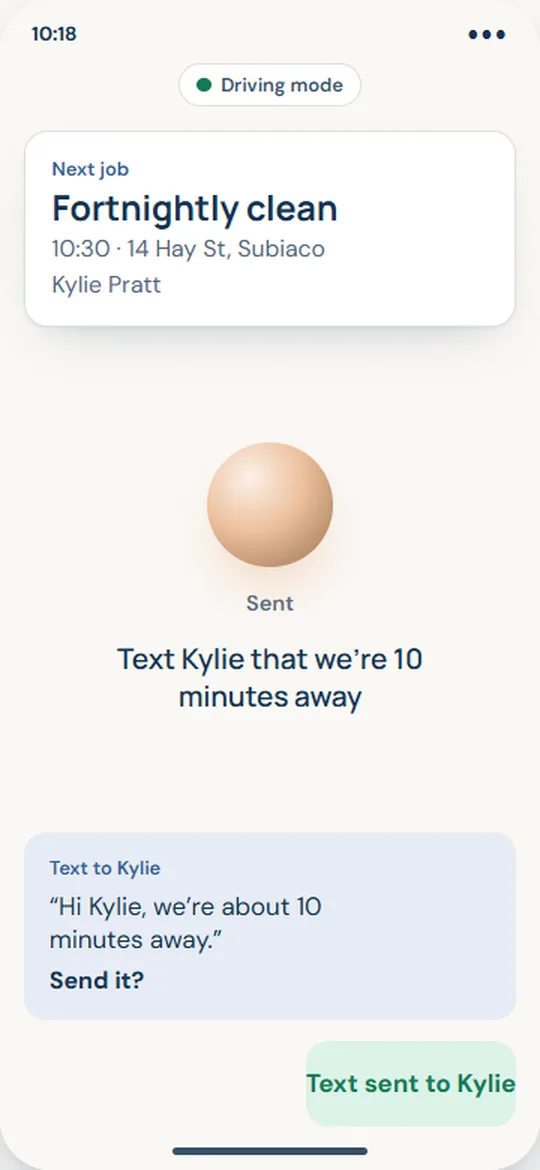
It lives inside your own system, sees what the person using it is allowed to see, and writes down everything it does. Talk to it, type to it, or give it a standing job.
By voice or by typing
Anything a screen can do, it can do for you.
Ask it to move a booking, add someone’s hours or update a job, and it does it on screen, the same way you would, then tells you what changed.
- Finds the right job, person or invoice for you
- Shows its plan before anything that matters
- Important actions can be undone
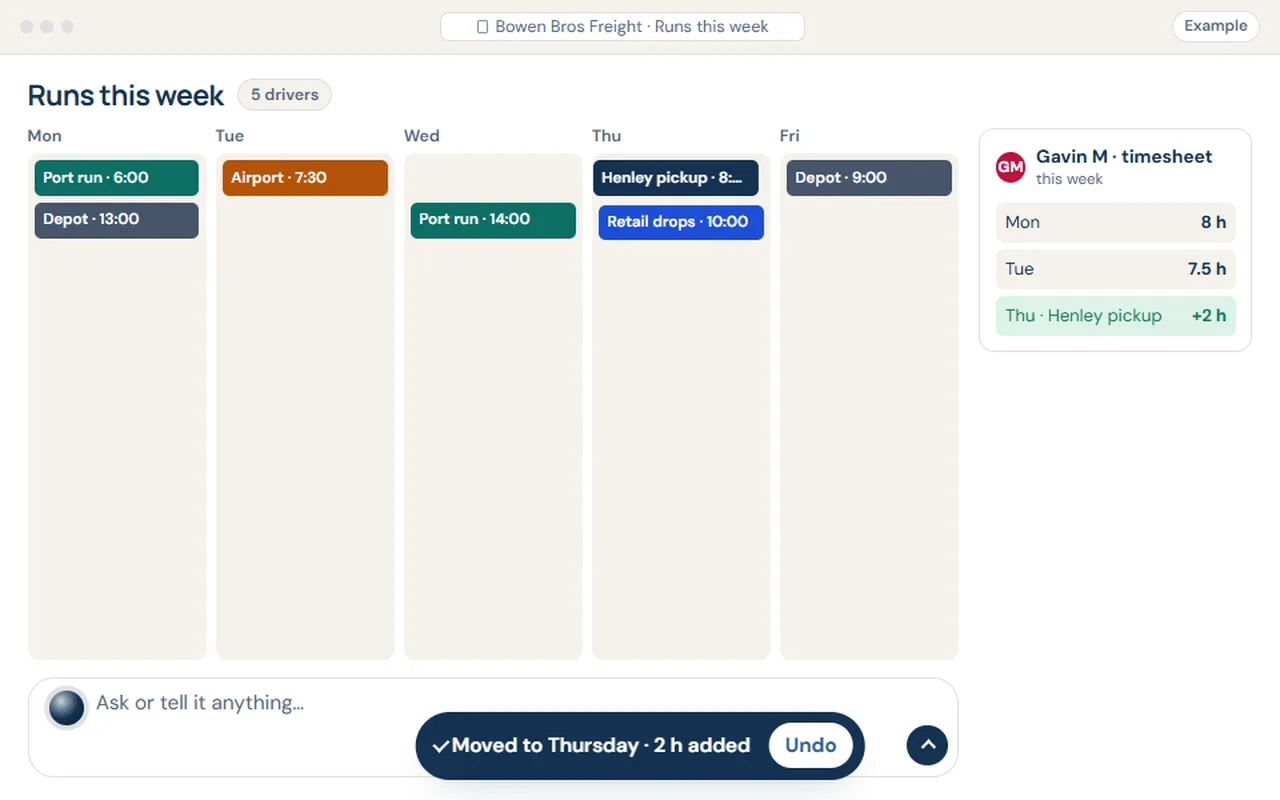
Example: a freight company asks the assistant to move a pickup and add hours. It shows the plan, waits for an OK, then does both, with Undo.
It keeps an eye out
It notices what needs doing.
Quotes going cold, stock running low, a timesheet that’s missing, an invoice that’s overdue. It brings them to you with the fix ready to go.
- One tap to sort it, or leave it for later
- You choose what it keeps an eye on
- Nothing goes to a customer without your OK
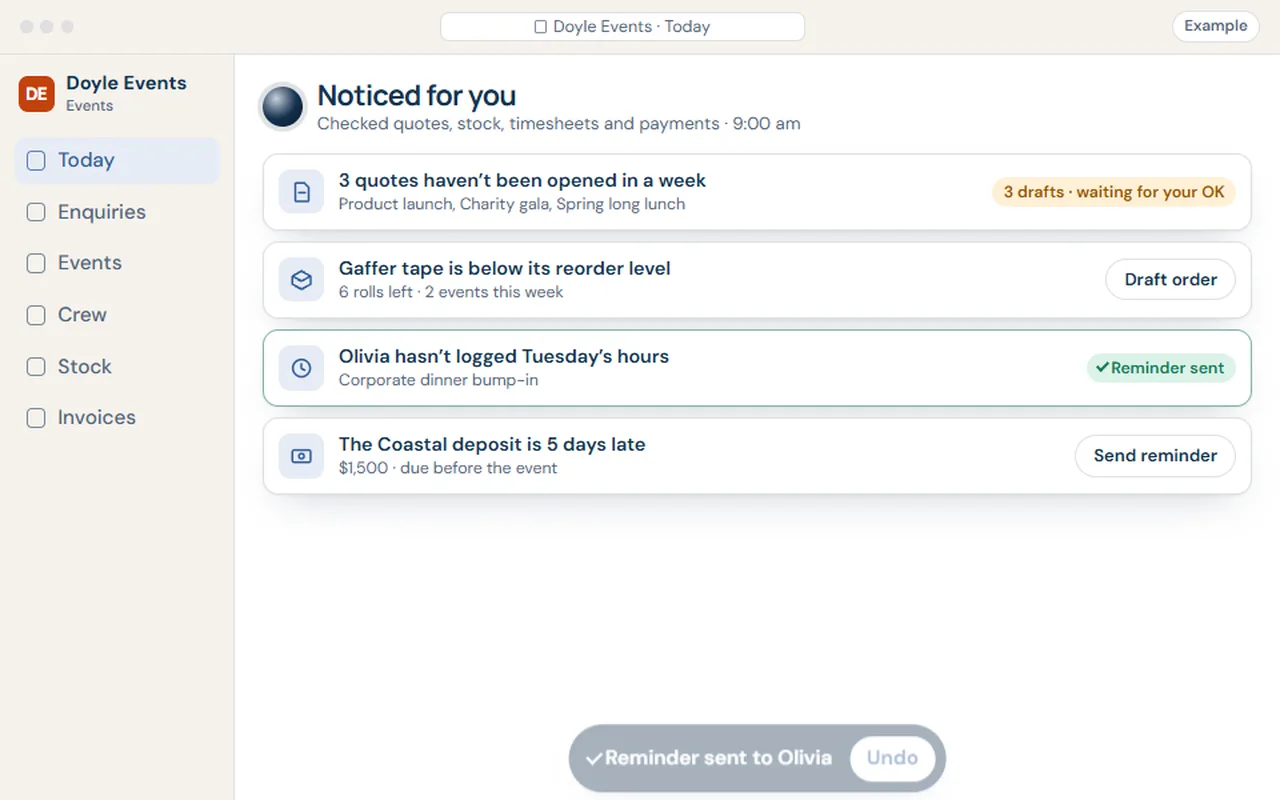
Example: an events company’s assistant spots quotes going cold, low stock, a missing timesheet and a late deposit, with the fix ready for each.
Helpers
Brief a helper the way you’d brief a person.
Give a helper a standing job in one sentence: once, every Friday, or whenever something happens. It works under a role, and reports back every day.
- A name, a role and a sentence: that’s the set-up
- Works only where its role allows
- A daily report of what it did and what’s waiting for you
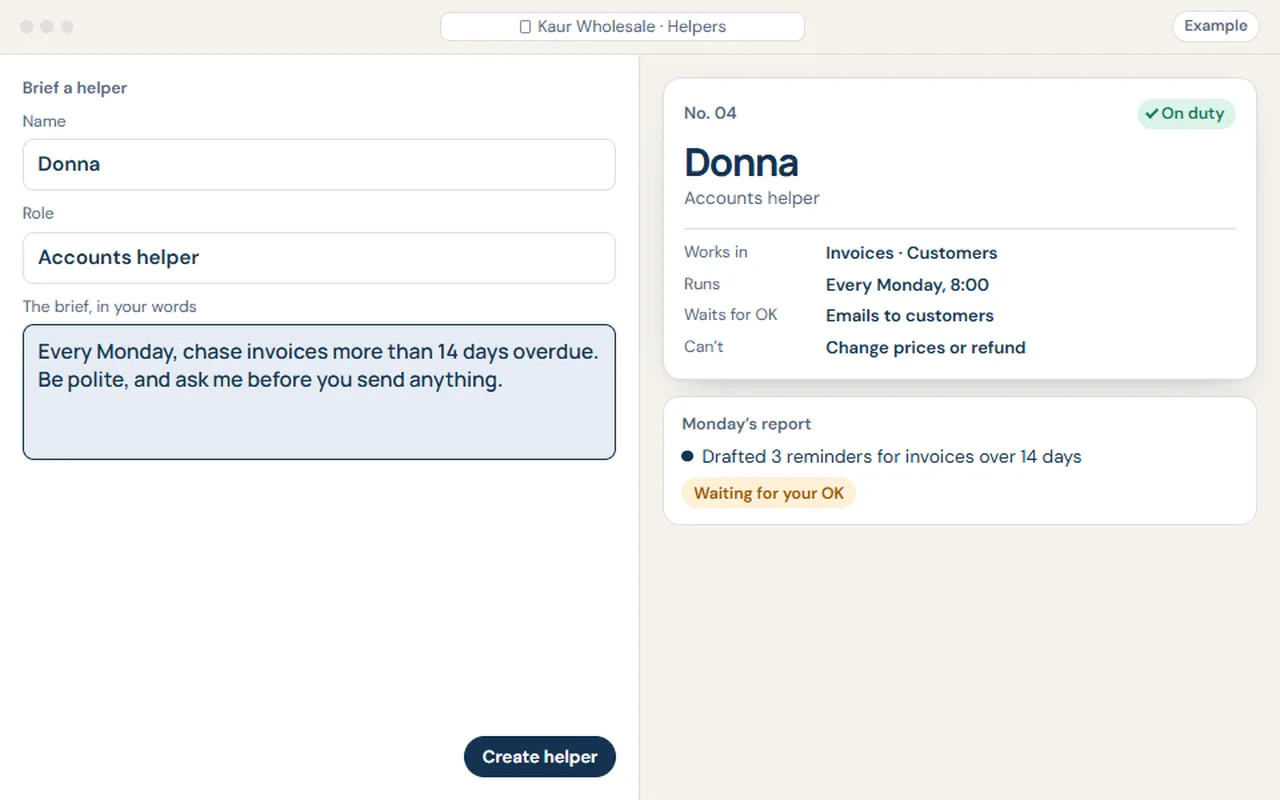
Example: a wholesaler briefs a new helper in one sentence. It gets a role, limits and a schedule, and its first report waits for an OK.
Hard stops
Clever, with limits you set.
The assistant and its helpers are useful because they’re careful. These are built in, not bolted on.
- Money waits for a personPayments, refunds and orders over your limit always need a human OK.
- Each role sees only its ownHelpers work under a role, with the same permissions as your staff.
- Nothing goes out unseenEmails and texts to customers wait for your OK, unless you’ve said otherwise.
- There’s an undoImportant actions can be undone, and the changes you ask for are reviewed before they take effect.
- Everything is written downWho did what, when, and on whose say-so, for every action.
- Your data isn’t training dataNever sold, never used to train anyone else’s AI. Ask for a copy any time.
Like any assistant, it can get things wrong. That’s why it shows its working, links the records it used, and asks before anything that matters.
Automations
Say it in a sentence. It happens every time.
Type what should happen, in your own words, and the steps are laid out for you to check before anything runs. Follow-ups, reminders, the Friday report: set them once and they look after themselves.
- Starts when something happens, on a schedule, or when you ask
- Emails, texts, tasks, documents and updates in your other apps
- Anything that matters waits for an OK, and every run is logged
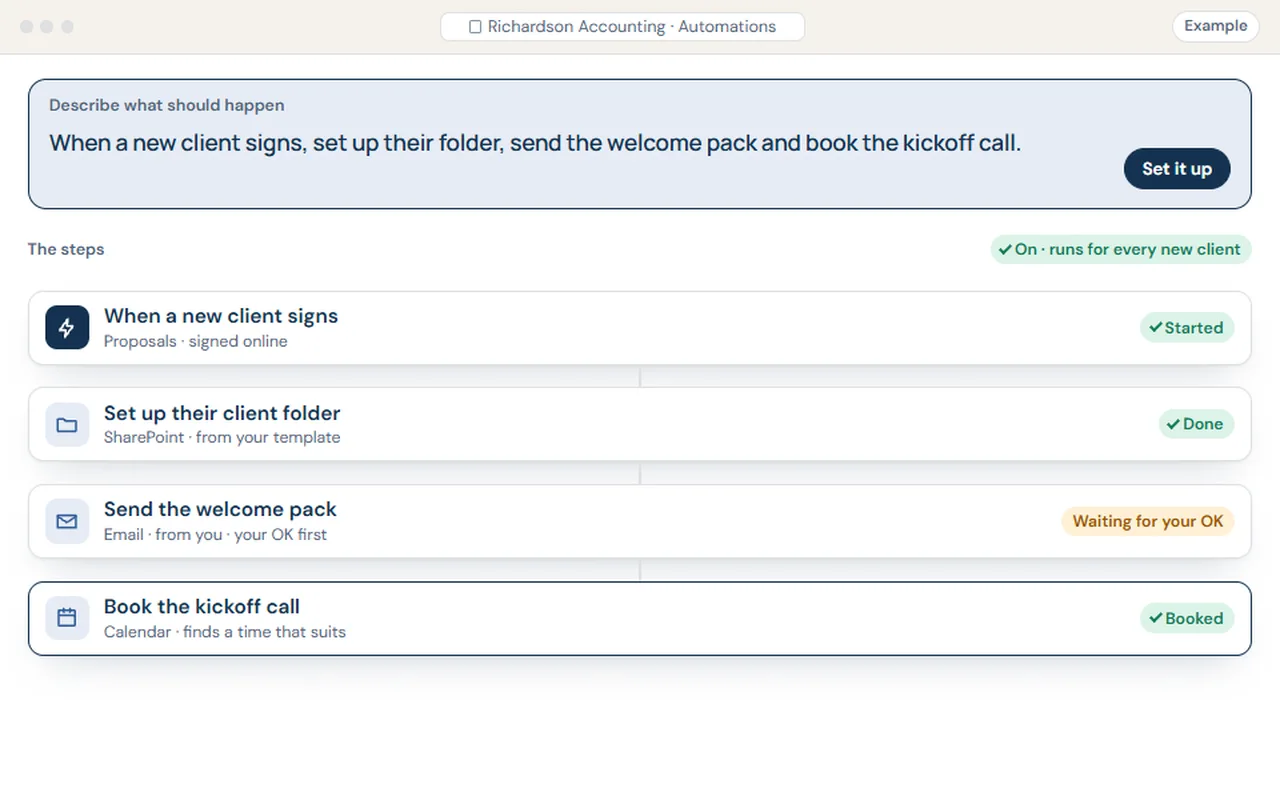
Example: an accounting firm describes an automation in one sentence. It lays out the steps, gets switched on and runs, with the client email waiting for an OK.
The software
The parts a business runs on, fitted to yours.
Pick what you need. Each part is set up with your words, your steps and your branding, and they all share the same records.
Proposals people say yes to.
Options side by side, photos and specs, your branding and terms. Customers accept online, options and all, and you see when they open it.
- Build from your price list and past jobs
- A follow-up drafted if it goes quiet
- Accepted quotes turn into the job
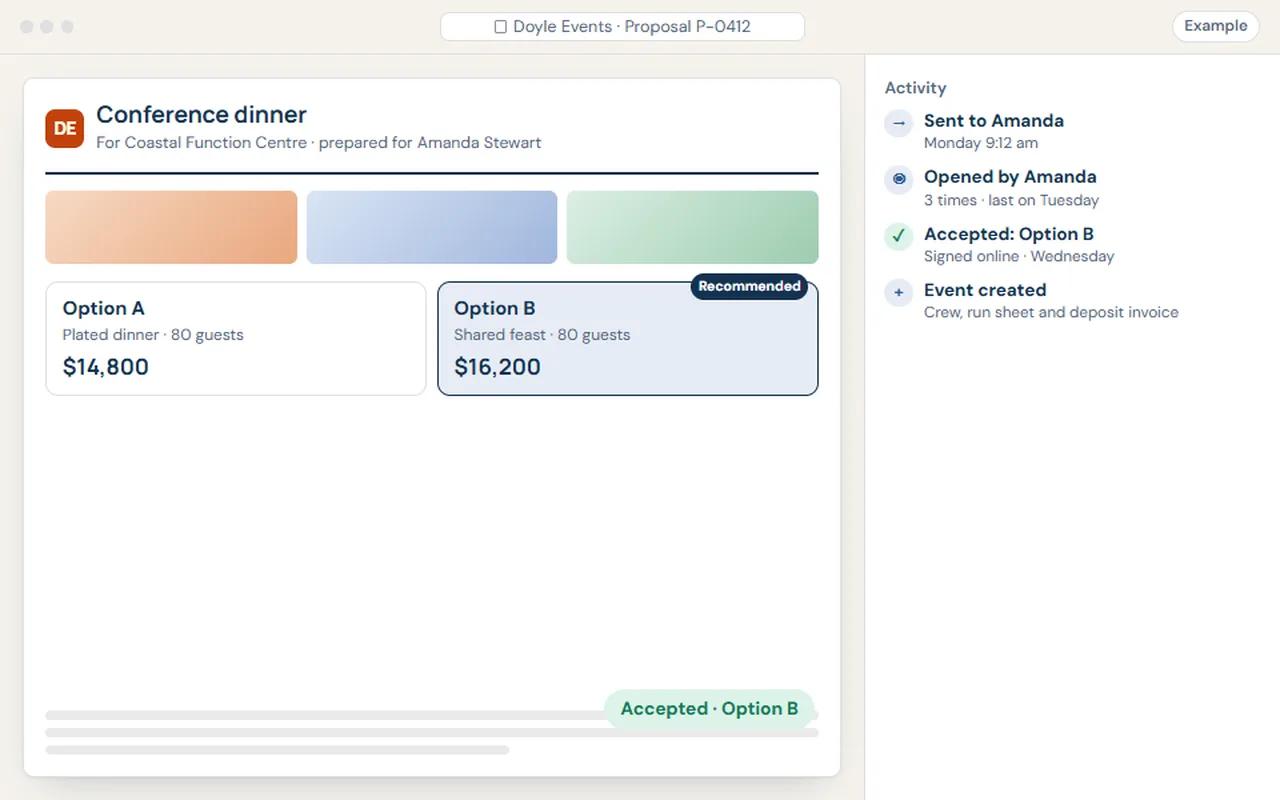
Example: an events company’s proposal is sent, opened and accepted online, and the event is set up from it.
Everyone knows what’s next.
Book the work, assign the people, and drag it to a better day when plans change. The office and the phone see the same thing.
- Who’s free, at a glance
- Changes reach the team’s phones
- Customers can get a heads-up automatically
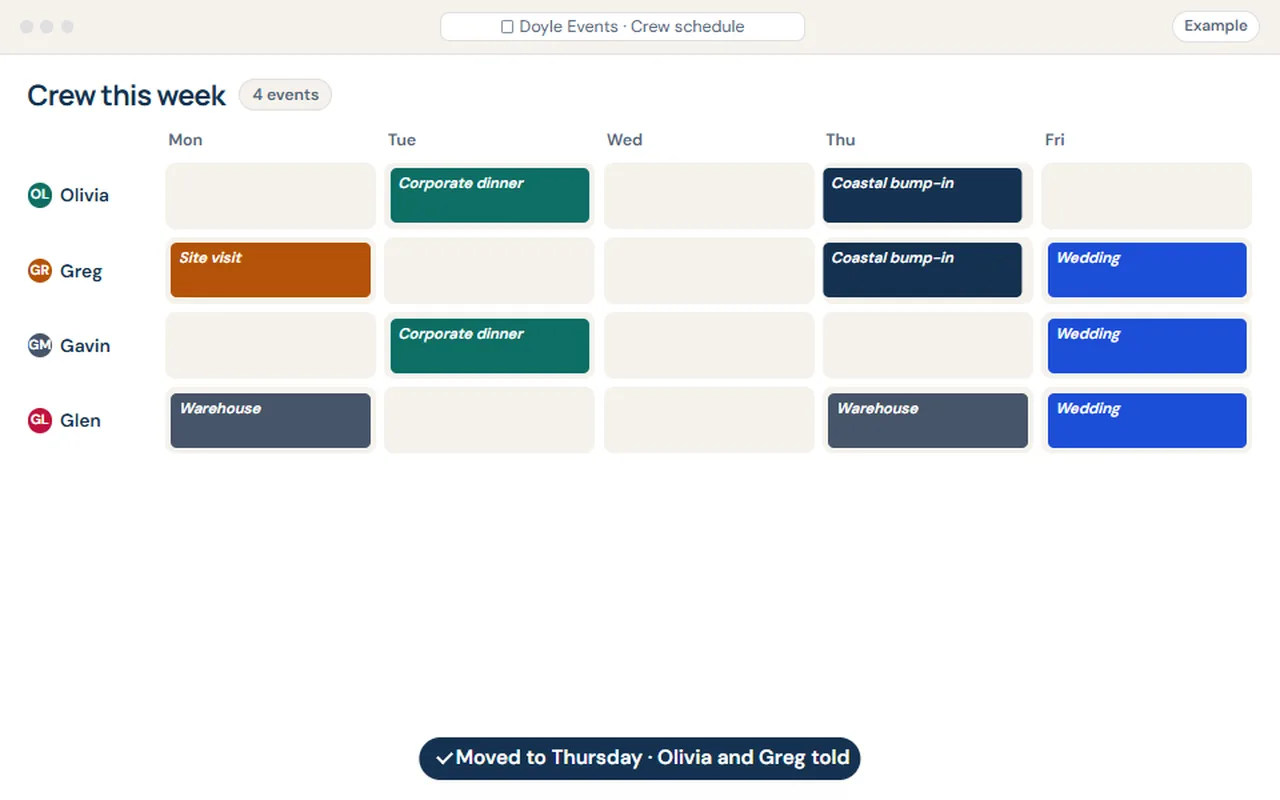
Example: an events company drags a bump-in to Thursday. The crew’s phones update and they’re told.
Know what you’ve got, and what’s spoken for.
Stock on hand, reserved for jobs and on order. When something runs low, an order is drafted for you to check and send.
- Reserved for jobs as they’re booked
- Reorder levels you set
- Orders wait for your OK
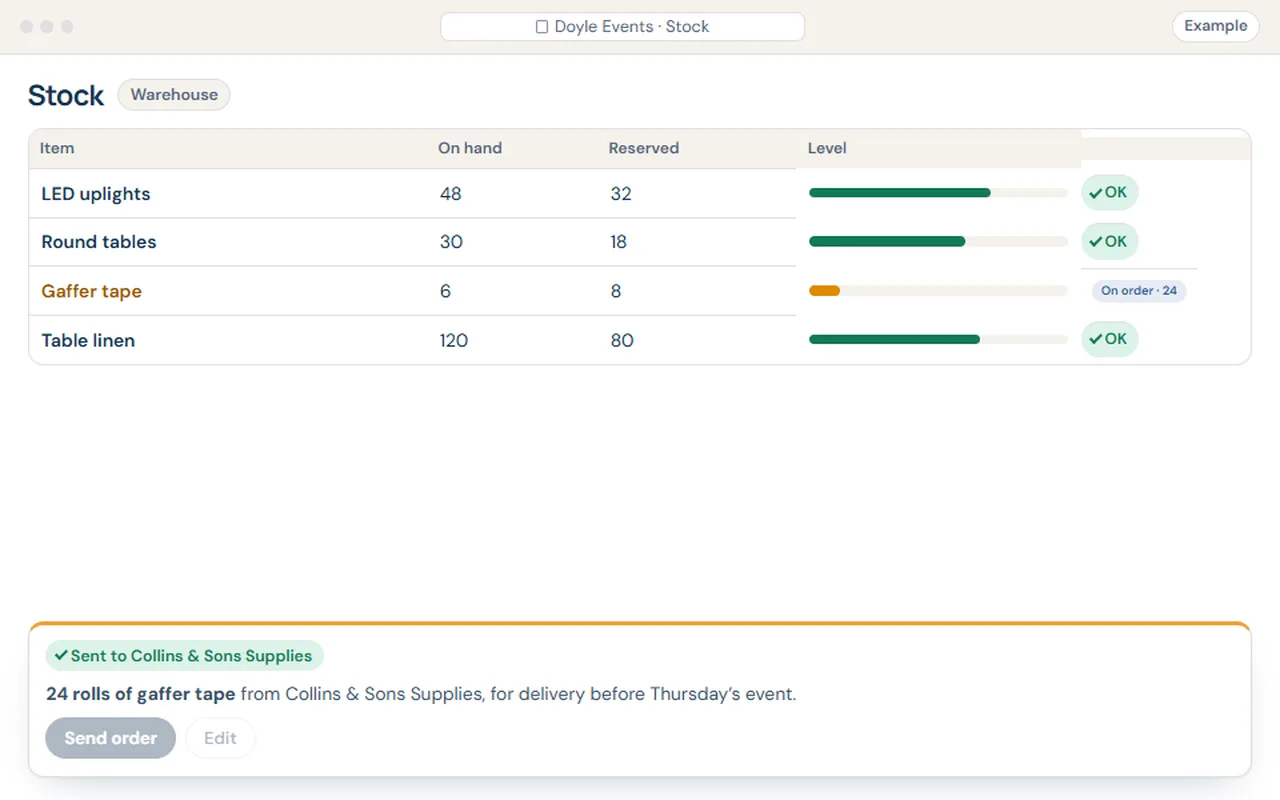
Example: low stock with events reserved against it turns into a drafted order, sent with one OK.
Hours from the phone, timesheets ready for payroll.
Your team logs time against the job from their phone. You see who’s on what, and the week’s timesheets are ready to check.
- Start and stop from the job
- Missing hours flagged before payroll
- Costs land on the right job
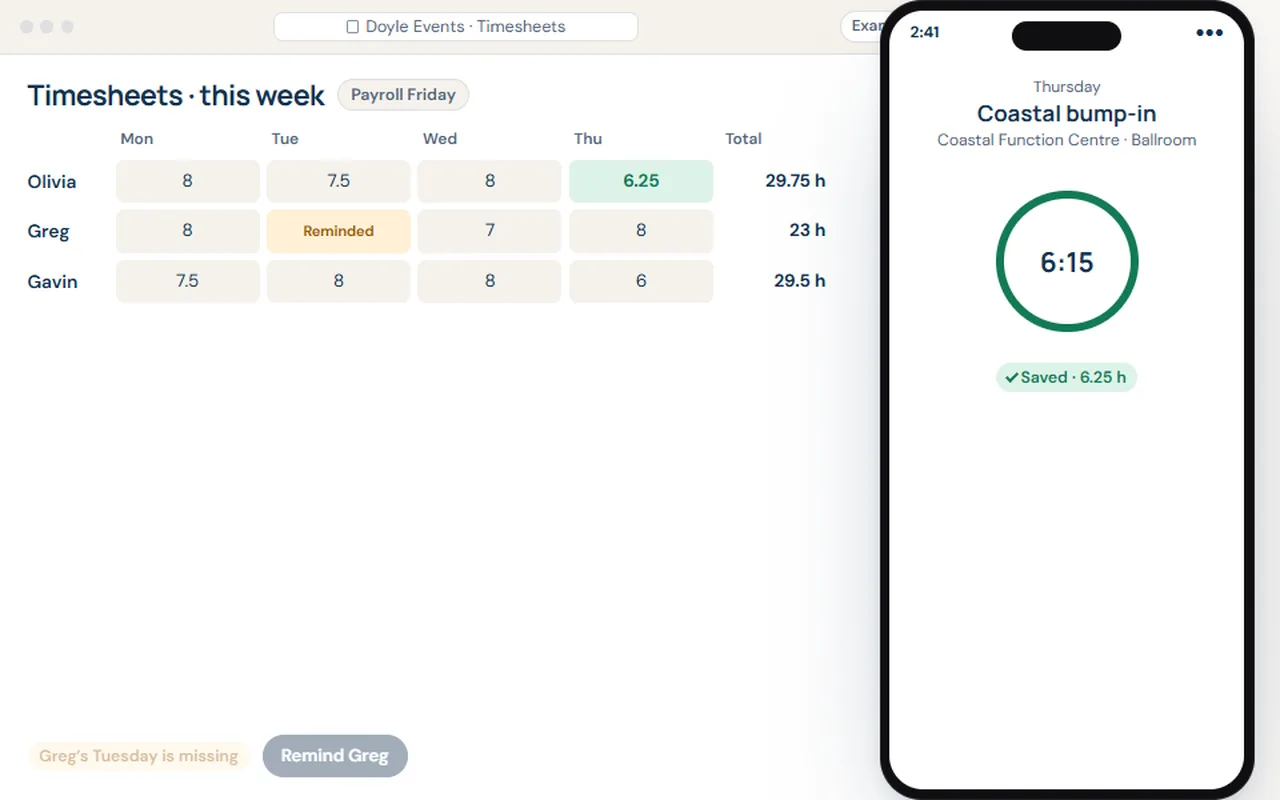
Example: a crew member stops their timer on the job and the office timesheet fills itself; a missing day gets a reminder before payroll.
Invoices that follow the work.
The invoice builds itself from the job, you check it, and it syncs to Xero. Reminders go out when it’s overdue, and it’s marked paid when the money lands.
- From job to invoice in a click
- Synced to Xero
- Polite reminders, on your schedule
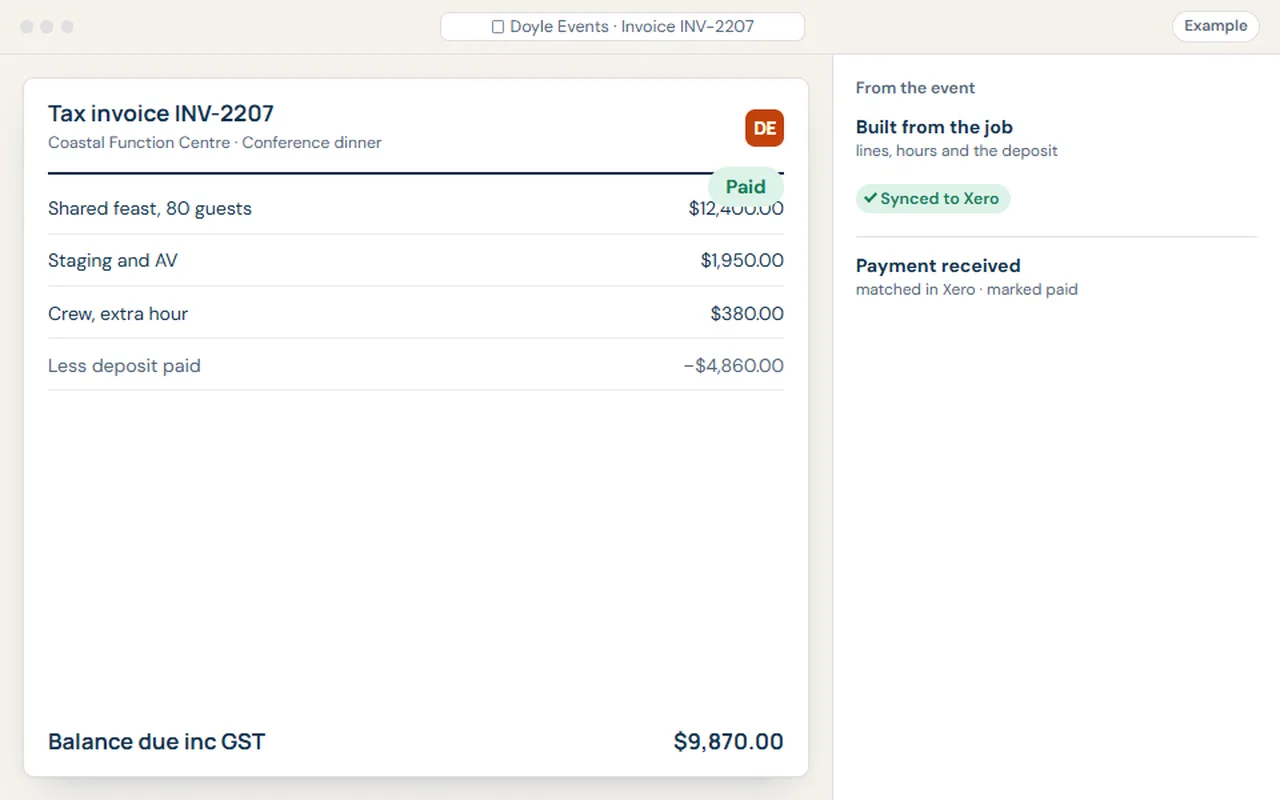
Example: an invoice builds itself from the event, is approved and synced to Xero, then marked paid when the payment lands.
Reports you ask for in plain words.
Ask the question the way you’d ask a person. Get the answer, a chart, and the jobs behind it, so you can check the working.
- Any period, any comparison
- Click through to the records
- Save it to run every week
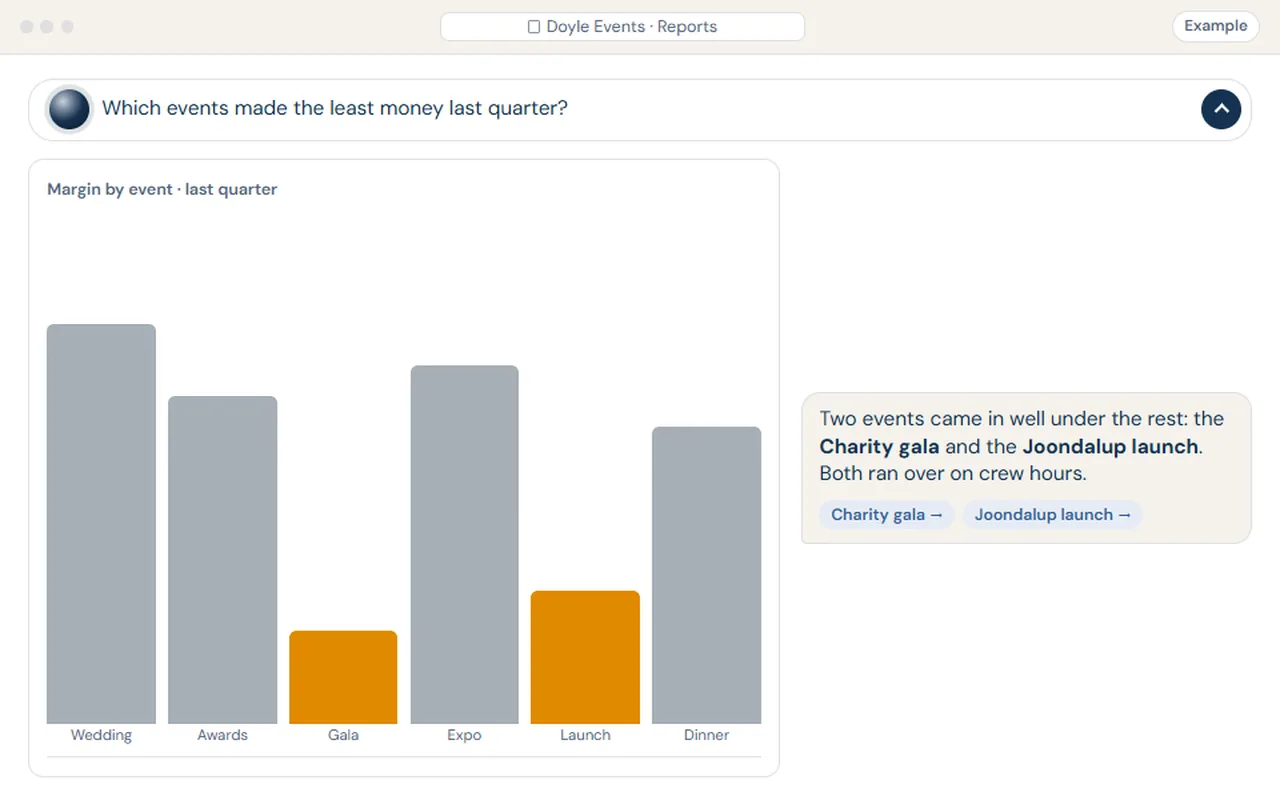
Example: an events company asks which events made the least last quarter, and gets the chart, the answer and the events behind them.
Tools for your kind of business
The tool your business never had.
Some jobs need something nobody sells. We build it into your system, with the same records and the same assistant: a floor plan maker that turns a room layout into a quote, a booking calendar your customers use themselves, or, for an audio-visual installer, a schematic builder.
- Run sheets for events
- Inspection reports with photos for property managers
- Stock counts on the phone for shops and wholesalers
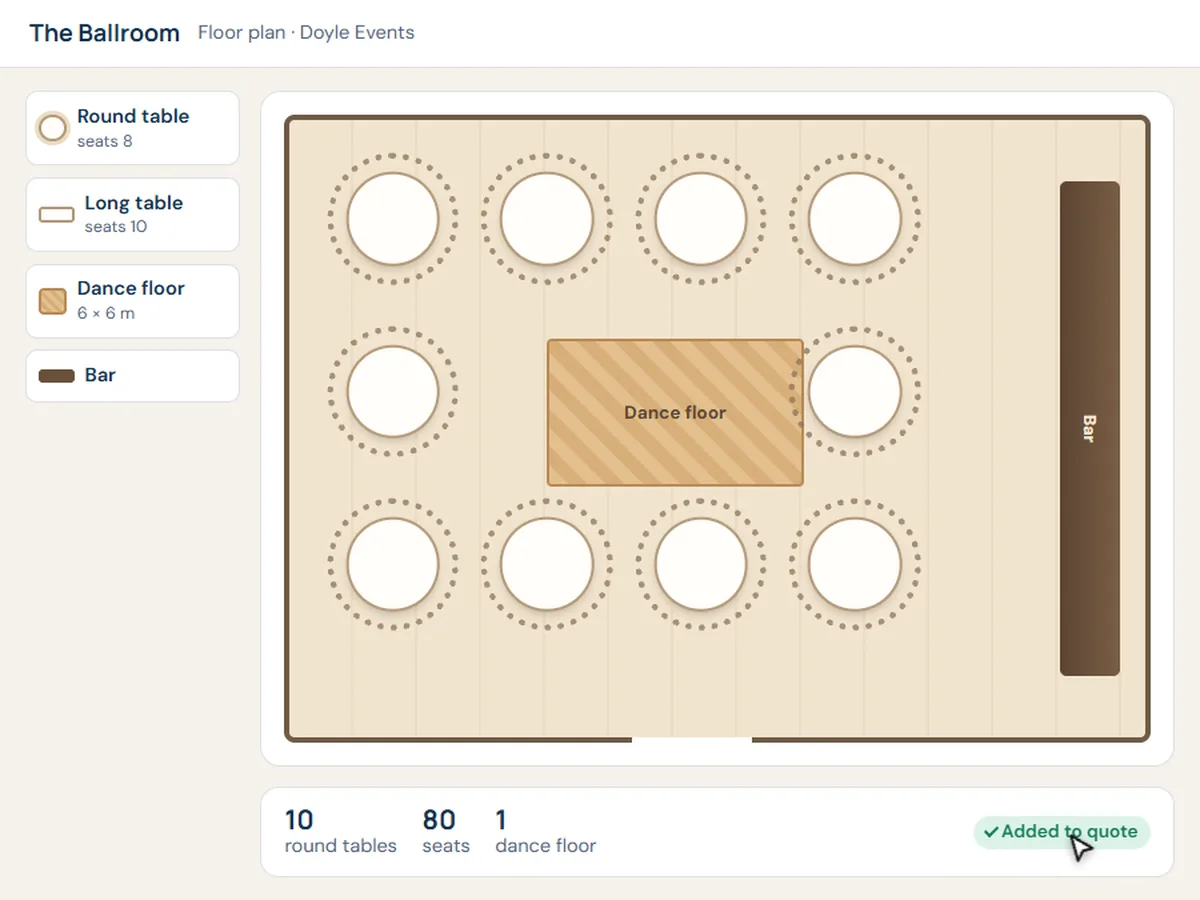
Example: an events company draws the room, and the tables and dance floor land on the quote.
Connections
Works with the tools you already use.
Keep what works. We connect it, so details are entered once, and we’ll tell you honestly what connects before you commit.
- XeroInvoices are checked in your system, then synced to your accounts. Payments come back marked paid.Connects
- Microsoft 365Outlook email and calendars, Teams chats and SharePoint files, all from inside your system.Connects
- SpreadsheetsPrice lists, rosters and the trusty workbook: bring them in, or keep them in sync.Connects
- Something else?Bring us the app. We’ll check whether and how it connects, and say so in the plan.Ask us
Keeps getting better
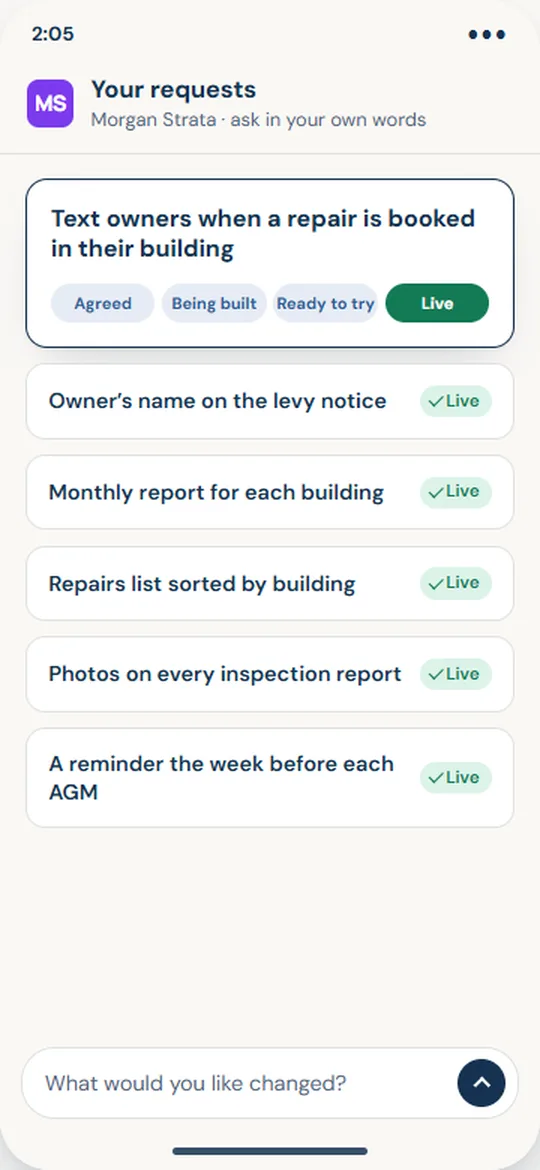
Ask for a change. It’s built, tested, then yours.
Your business won’t stand still. Ask for an improvement in your own words, right where you work, and it follows the same careful path every time.
- Ask in the appIn your own words, from the screen you’re on.
- Agree the changeWe talk it through and agree exactly what changes.
- Built and testedOn a practice copy of your system, never on the real one.
- Try it, approve itYou try it first. It goes live when you say so.
Start with a free chat
What would you like to stop doing by hand?
Tell us in a few lines. Colin reads every message himself and will get back to you to set up a free chat. No cost, no obligation, no sales script.